An Android proxy sends your phone’s traffic through another IP address, so apps and websites see a mobile or home connection in the country you pick instead of your own. People use one to test apps and ads by location and to run social and marketplace accounts. To find the best proxies for Android in 2026 we compared 13 providers on what matters on a phone: real 4G and 5G mobile IPs, an Android app or a documented setup, SOCKS5, IP whitelisting and price. For ready-made phone IPs, see ProxyEmpire’s rotating mobile proxies.
Quick answer
ProxyEmpire is the best proxy provider for Android in 2026. Its free ProxyEmpire Proxy Manager app puts every app on the phone, or only the ones you choose, behind the proxy with no root: you enter your login once and it builds the profiles for you. Mobile IPs cost $4.50 falling to $2.00/GB across 4M+ 4G and 5G IPs in 174 countries, residential IPs $3.50 falling to $1.50/GB, and a $1.97 trial covers both.
Best proxies for Android compared
All 13 providers at a glance| # | Provider | Mobile proxies | Residential price | Android help | IP whitelisting | Best for |
|---|---|---|---|---|---|---|
| 1 | ProxyEmpire | $4.50 → $2.00/GB; dedicated from $125/month | $3.50 → $1.50/GB | Own free app | No (login in the app) | Best overall |
| 2 | Oxylabs | $7.50 → $3.50/GB | $6.00 → $2.50/GB | Free app for any provider | Yes | Free proxy manager app |
| 3 | NodeMaven | On the residential plan | $5.31 → $2.75/GB | Setup guide | Yes | Quality-filtered mobile IPs |
| 4 | ResiProx | $6.00 → $3.50/GB | $3.50 → $1.75/GB | Setup guide | No | Mobile and residential on a small budget |
| 5 | Proxy-Seller | Dedicated, $109/month | $3.50 → $1.45/GB | Guides for many Android apps | Yes | A dedicated mobile line |
| 6 | Byteful | $4.25 → $3.45/GB | $3.25 → $1.95/GB | None found | Yes | Mobile data that never expires |
| 7 | MarsProxies | — | $4.99 → $2.10/GB | Own free app | Yes | Its own Android app |
| 8 | Decodo | $4.00 → $2.75/GB | $4.00 → $2.00/GB | Setup guide | Yes | Many carriers and locations |
| 9 | SOAX | $5.00 → $1.50/GB | $5.00 → $1.50/GB | Setup guide | Yes | Cheapest mobile at 1 TB |
| 10 | IPRoyal | Dedicated, $130/month | $7.00 → $3.36/GB | Wi-Fi and mobile-data guide | Yes | Dedicated mobile, no limits |
| 11 | DataImpulse | $2.00/GB flat | $1.00/GB flat | Mobile-data and whitelist guide | Yes | Cheapest small mobile purchases |
| 12 | Webshare | Not sold | $3.50 → $1.50/GB | Wi-Fi guide | Yes | Free starter plan |
| 13 | Bright Data | — | $4.00 → $2.50/GB | Mobile-data guide | Yes | Enterprise teams |
Rotating mobile and residential prices show the rate on each provider’s smallest plan, then the lowest per-GB rate it publishes at 1 TB or less; dedicated mobile is the monthly price for one line. Mobile prices are what each provider charges today: ProxyEmpire and Decodo currently show 50% off their list prices. Bright Data’s residential price is its current 50% discount (list $8.00 → $5.00/GB). — means no per-GB or monthly price, or no whitelisting option, is stated on the pages we checked. Checked on 26–29 September 2026. Infatica and ProxyRack are not ranked: we found no Android setup instructions on either site, and ProxyRack sells no mobile proxies.
How we compared Android proxy providers
What a phone needs from a proxyAndroid’s own proxy setting takes HTTP only, works only on Wi-Fi and has no field for a login. So we checked each provider’s site for an Android app or setup guide, then weighed the IPs and the price.
The 13 best proxies for Android in 2026
Mobile and residential proxy providers, reviewed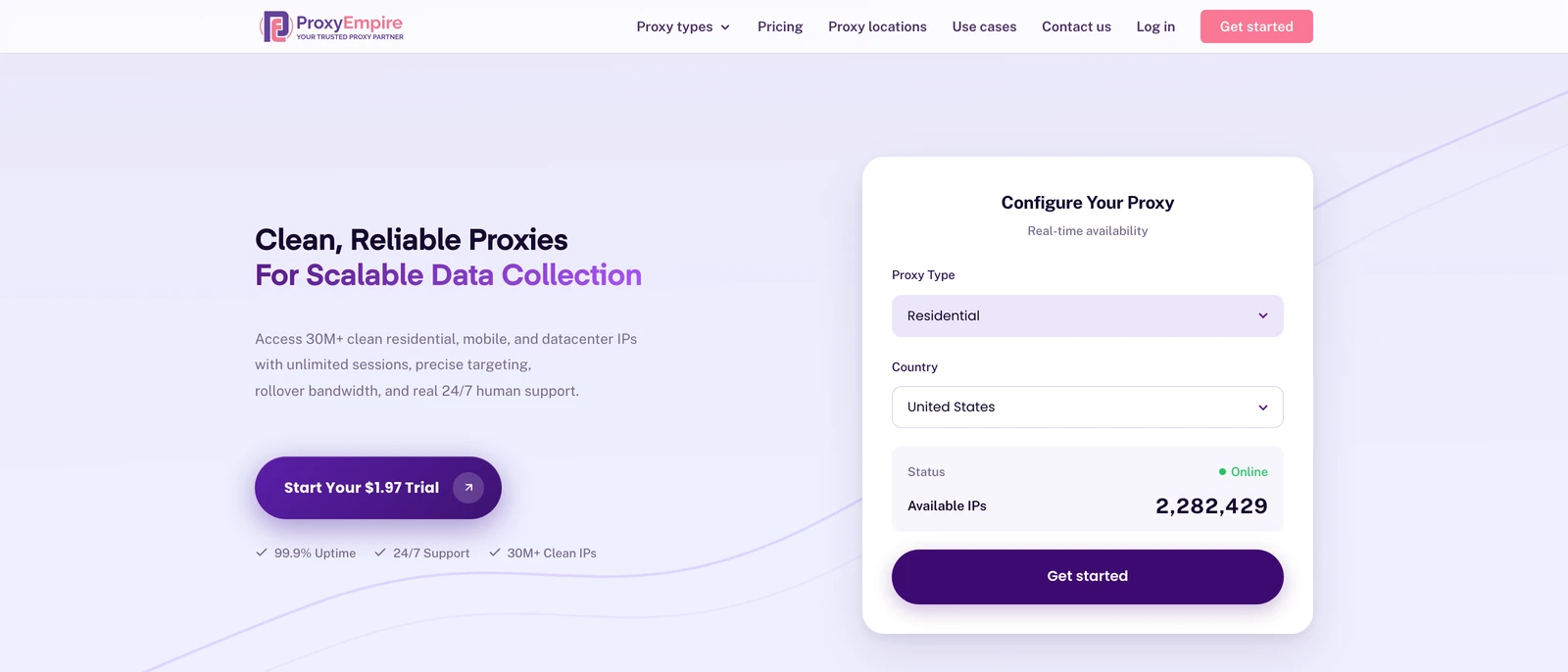
ProxyEmpire
Best overallProxyEmpire has its own free Android app that signs you in for you: ProxyEmpire Proxy Manager asks for your proxy login once, creates the profiles, and routes all apps or only the ones you pick over HTTP or SOCKS5, with no root.
- 4M+ mobile IPs in 174 countries and 30M+ residential IPs, with country, region, city, ZIP, carrier and ASN targeting included
- Sticky sessions in the app, dedicated mobile lines from $125 a month, 99.9% uptime and 24/7 support from real people
- Login only, no IP whitelisting, so Android’s built-in Wi-Fi setting works only in Chrome; the app is the way in. No UDP either

Oxylabs
Free proxy manager appOxylabs publishes a free Oxy Proxy Manager app for Android that works with any provider’s proxies and needs no registration, and lists 20M+ mobile IPs of its own.
- An Android guide for Wi-Fi and mobile data
- SOCKS5 and a very large residential pool
- The highest mobile rates here, and the smallest residential plan is 5 GB for $30 with no trial
NodeMaven
Quality-filtered mobile IPsNodeMaven sells 5G and LTE mobile IPs on the same traffic plan as residential, screens each IP for quality before you get it, and its Android guide covers Wi-Fi and two proxy apps. Plans currently show 20% off, at $4.25 falling to $2.20/GB.
- Country, region, city and ISP targeting, and unused traffic rolls over
- IP whitelisting and ISP proxies from $2.99/IP
- No Android app of its own, no 1 GB plan and no datacenter proxies
ResiProx
Mobile and residential on a small budgetResiProx sells rotating 4G, LTE and 5G mobile proxies alongside residential IPs, with HTTPS and SOCKS5, and publishes a guide to using them on Android over Wi-Fi and mobile data.
- One trial covers both residential and mobile
- ISP-level targeting from the first gigabyte
- Rotating proxies only — no static, ISP or dedicated mobile IPs
Proxy-Seller
A dedicated mobile lineProxy-Seller rents dedicated mobile lines by the month with unlimited traffic ($109 for a UK line on EE when we checked), and publishes Android guides for the Wi-Fi setting and several proxy apps.
- IP allowlisting, so Android’s Wi-Fi setting works without a login
- HTTP, HTTPS and SOCKS5 with the same credentials
- No per-GB mobile plan, and residential traffic expires after 30 days
Byteful
Mobile data that never expiresByteful, formerly Ping Proxies, lists 6M+ carrier IPs on 1,000+ carriers, sells mobile and residential traffic that never expires, and supports HTTP, SOCKS5 and IP whitelisting.
- Sticky sessions of up to 24 hours on mobile
- Country, region, city and ISP targeting
- No Android app or Android setup guide on its site, and the smallest residential plan is 10 GB
MarsProxies
Its own Android appMarsProxies offers its own free Android proxy app with one-tap connection, a written Android setup guide, and a choice of username and password or IP whitelisting.
- An app and a guide from the same provider
- 24/7 support
- Mobile proxies are rented by the day, with no monthly or per-GB price, and there is no free trial
Decodo (formerly Smartproxy)
Many carriers and locationsDecodo lists 10M+ mobile IPs on 700+ carriers, currently at half its list price, and walks through Android’s Wi-Fi proxy setting in its own guide.
- IP whitelisting in the dashboard and SOCKS5 on every proxy type
- A 14-day money-back guarantee on the first purchase
- Browser extensions only, no Android app, and residential sticky sessions default to 10 minutes (up to 24 hours if you set it)
SOAX
Cheapest mobile at 1 TBSOAX charges one rate for residential and mobile traffic, which makes its mobile IPs the cheapest here at 1 TB, and offers login or IP allowlist access.
- Carrier targeting for app and account work
- An Android setup guide on its blog
- Plans are monthly spend tiers, and credits expire after 60 days

IPRoyal
Dedicated mobile, no limitsIPRoyal rents dedicated mobile proxies from $130 a month with no bandwidth or session limits, and its Android guide covers setting a proxy on mobile data as well as Wi-Fi.
- IP whitelisting, and residential traffic never expires
- Chrome and Firefox extensions for desktop work
- The highest residential entry price here, and no per-GB mobile plan
DataImpulse
Cheapest small mobile purchasesDataImpulse charges a flat $2/GB for mobile traffic that never expires, and its Android tutorial shows how whitelisting your IP sends app traffic, not just the browser, through the proxy.
- Low flat prices with no tiers to work out
- Android tutorials for mobile-data setup and the tun2tap app
- City, ZIP and ASN targeting cost extra
Webshare
Free starter planWebshare lets you pick IP authentication for your Android device, which makes the built-in Wi-Fi proxy setting work without a login, and its free plan gives you 10 datacenter proxies.
- SOCKS5 on every plan at no extra charge
- Static residential and datacenter IPs in the same dashboard
- No mobile proxies, and monthly bandwidth does not roll over
Bright Data
Enterprise teamsBright Data runs residential and mobile networks with IP allowlists per zone, and its Android guide sets the proxy on mobile data for browsing.
- Large networks with detailed zone controls
- Residential currently at half its list price
- Its guide covers browsing only (apps need a third-party app), residential traffic needs its SSL certificate installed, and KYC applies
How to set up a proxy on Android
Three ways, and when each one worksWhich method works depends on whether your proxy needs a login, and on whether you are on Wi-Fi or mobile data.
1. The built-in Wi-Fi proxy setting
Open Settings, tap your Wi-Fi network, open Advanced options, set Proxy to Manual and enter a host and port. There is no username or password field, it is HTTP only, and it covers one network. It works cleanly only with proxies that let you whitelist your IP, such as Webshare, Proxy-Seller or SOAX. With a login-based proxy, Chrome can ask for the password, but most apps just fail to connect.
2. A proxy app (the reliable way)
A proxy app uses Android’s local VPN service to send traffic from every app, or from the apps you pick, to your proxy, on Wi-Fi and mobile data, without root. With ProxyEmpire:
- Install the free ProxyEmpire Proxy Manager app from Google Play.
- Tap +, choose Connect to ProxyEmpire and enter your proxy username and password once. The app creates your profiles for you.
- Pick a country, and a region, city or ISP if you need one. Switch on Sticky Session to keep one IP.
- Choose all apps or only some, tap Start and accept Android’s connection request.
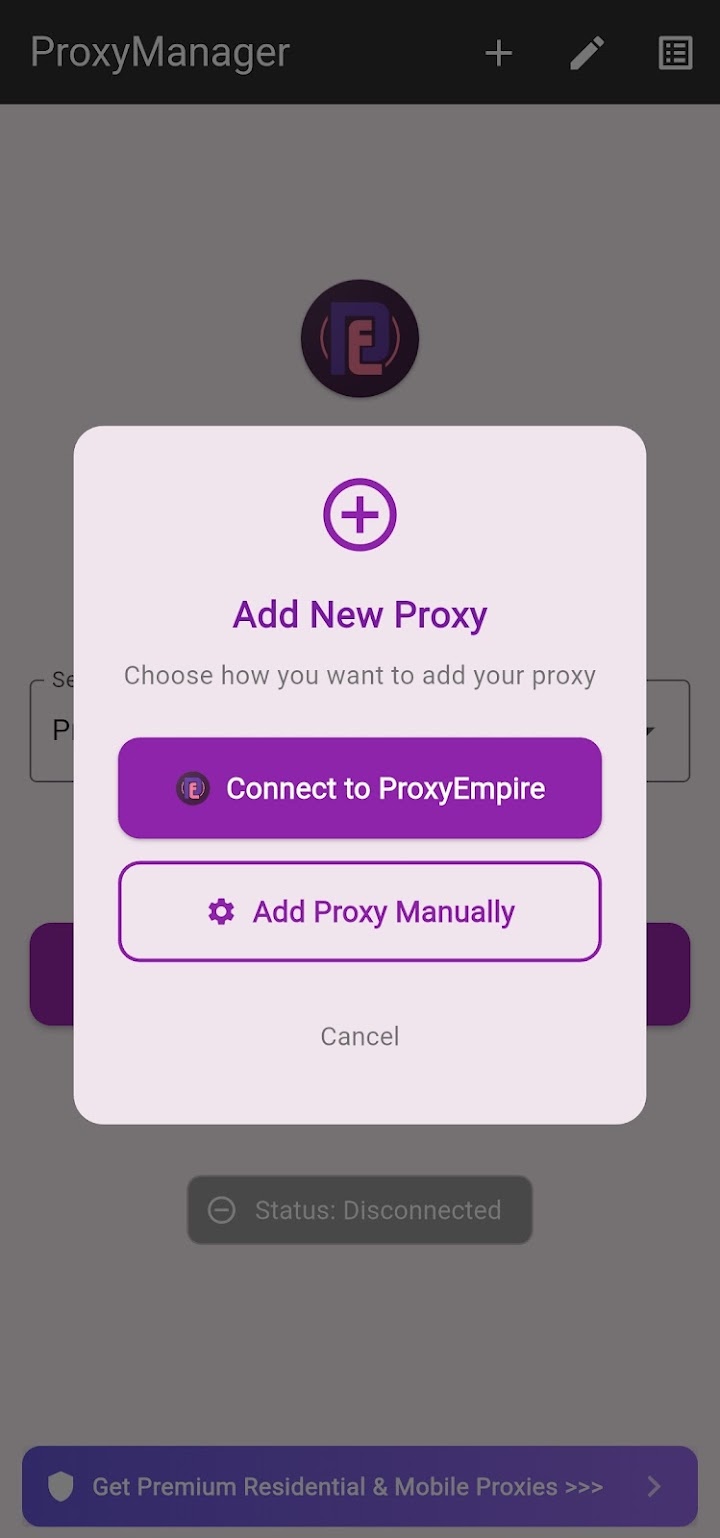
Our Android proxy setup guide covers every screen and the usual errors.
3. Per-app proxy settings
Some apps have their own proxy setting that accepts a login. Telegram is the best-known example: open Settings, then Data and Storage, then Proxy Settings, and add a SOCKS5 proxy with its username and password. On mobile data, Android also lets you add an HTTP proxy to your carrier’s access point (APN), and several providers document this, but it is HTTP only.
Best proxy apps for Android
Free apps from proxy providers| App | Works with | Login handling | Routing |
|---|---|---|---|
| ProxyEmpire Proxy Manager | ProxyEmpire, plus any HTTP or SOCKS5 proxy | ProxyEmpire login entered once; profiles built for you | All apps or chosen apps, Wi-Fi and mobile data |
| Oxy Proxy Manager (Oxylabs) | Any provider | You enter each proxy’s details | Not stated |
| MarsProxies app | MarsProxies proxies | Not stated | Not stated |
All three are free. Provider guides also mention general apps such as Postern, Super Proxy and SocksDroid, where you type every detail yourself. ProxyEmpire Proxy Manager sets up targeting and sticky sessions for you, and its Play Store listing declares that it collects and shares no data.
Mobile or residential proxies for Android?
Match the IP to the job- Rotating mobile (4G/5G) suits app testing and phone-based accounts: many real subscribers share each carrier IP, so apps rarely block them.
- Rotating residential costs less per GB and suits browsing, ad checks and location tests.
- Dedicated mobile gives one account its own carrier line for weeks. ProxyEmpire’s dedicated mobile proxies include USA 5G lines.
- SOCKS5 covers more apps than HTTP. ProxyEmpire supports HTTP, HTTPS and SOCKS5 but not UDP, so games and voice calls that need UDP won’t work.
Messaging and browsing use little data; video uses far more. Our mobile proxy comparison goes deeper on carriers and dedicated lines.
Free proxies and free proxy apps for Android
Why we don’t publish a listFree Android proxy lists are open servers that anyone can use. They go offline within days and are run by strangers who can see your traffic, so we don’t publish one. Free “VPN proxy” apps often pay for themselves with ads or your data. The good news is that the best proxy apps are free. Pair one with a cheap trial, such as ProxyEmpire’s $1.97, Byteful’s free 1 GB or Webshare’s 10 free proxies. The apps and sites you use still have their own terms, and local laws apply.
Android proxy FAQ
Short answersWhat is the best proxy for Android?
ProxyEmpire, in our 2026 comparison: a free Android app that handles the login, 4M+ mobile IPs from $2.00/GB at volume, 30M+ residential IPs from $1.50/GB and a $1.97 trial.
What is the best proxy app for Android?
For ProxyEmpire proxies, the free ProxyEmpire Proxy Manager app, which builds your profiles from one login and can route all apps or only some. Oxy Proxy Manager is a free option for any provider’s proxies.
Why is there no username and password field in Android’s proxy settings?
Android’s Wi-Fi proxy only stores a host, port and bypass list. Chrome can ask for the login when you open a page, but most apps can’t, so use an IP-whitelisted proxy or a proxy app.
Does Android support SOCKS5 proxies?
Not in the system settings, which take HTTP only. Proxy apps such as ProxyEmpire Proxy Manager, and apps with their own setting such as Telegram, accept SOCKS5.
Do I need root to use a proxy on Android?
No. Proxy apps use Android’s VPN service to route traffic, which needs your one-time permission but no root.
Can I use a proxy on mobile data?
Yes, with a proxy app, which works on Wi-Fi and mobile data. The built-in Wi-Fi setting does not apply on mobile data, and carrier APN proxies are HTTP only.
Are mobile or residential proxies better on Android?
Mobile IPs suit apps and phone-based accounts because real subscribers share them. Residential IPs cost less per GB and suit browsing and location checks.
Is a proxy the same as a VPN on Android?
No. A VPN encrypts the whole connection to one server. A proxy changes the IP apps see and lets you pick residential or mobile IPs by location or carrier.
How do I check that my Android proxy works?
Open Chrome and search for “what is my IP”. The address and location should match the country you chose, not your own connection.
Put your Android phone on a real mobile IP
A free app that handles the login, 4M+ 4G and 5G IPs in 174 countries, 30M+ residential IPs from $1.50/GB, and 24/7 support from real people. Try ProxyEmpire for $1.97.